Built for college recruiting staff
Take control of your recruiting inbox.
Northcore scans recruiting emails, pulls out the player details that matter, and turns scattered messages into a shared prospect board for your staff. Gmail works now. Outlook is coming soon.
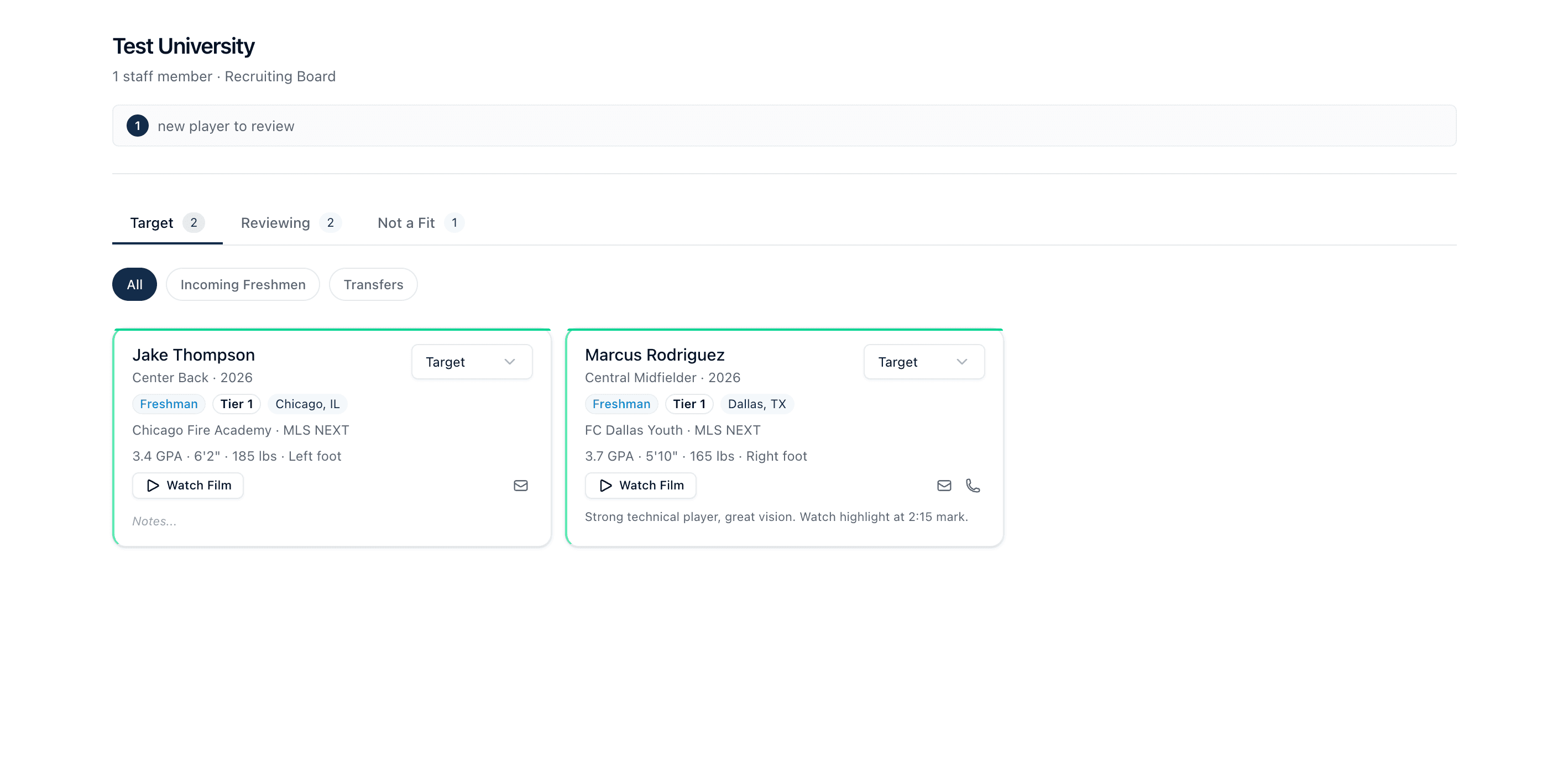
Shared recruiting board
The pain point
Recruiting inboxes were never meant to be recruiting systems.
Coaches get flooded with emails from players, parents, clubs, agencies, and recruiting services. Northcore gives that stream a structure so your staff can see who matters, what was said, and what needs to happen next.
Player details buried across long email threads
Assistants tracking the same recruit in different places
Important follow-ups lost under new messages
Manual copy and paste into spreadsheets after every email
How it works
From messy inbox to clear staff workflow.
Connect the inbox coaches already use
Install the Gmail add-on today and start from the messages already sitting in your recruiting inbox. Outlook support is being prepared next.
Scan recruiting emails for player context
Northcore identifies recruit messages and extracts names, positions, grad years, clubs, contact info, highlight links, GPA, and transfer context.
Review each player before your staff acts
Coaches keep control. AI fills the board, and your staff decides who belongs in Target, Reviewing, or Not a Fit.
Work from one shared recruiting board
Everyone sees the same prospects, notes, contact details, and status changes without forwarding the same email around again.
Inbox integrations
Start with Gmail. Keep room for Outlook.
Northcore should feel like part of the recruiting workflow, not another place coaches have to remember to check. Gmail is live today, and the product language is ready for Outlook when the add-in comes off hold.
Gmail Add-on
Open a recruit email, save the extracted player, or scan recent inbox messages from the add-on sidebar.
View Marketplace listingOutlook Add-in
The site is ready to explain Outlook alongside Gmail once the add-in is ready for coach testing.
No extra setup required today.
What Northcore does
It turns every useful recruiting email into structured player context.
Instead of asking coaches to copy information into a spreadsheet, Northcore reads the email, prepares a player record, and keeps the board organized for staff review.
Find the right recruit faster
Coach control
AI helps sort the inbox. Coaches still make the calls.
Review before action
Player records stay editable so staff can correct anything the AI misses.
Inbox stays intact
Northcore reads recruiting emails to extract context. It does not send, delete, or rewrite messages.
Staff alignment
Statuses, notes, and contact details live on one shared board for the program.
Private beta
Bring order to the recruiting emails your staff already receives.
We are onboarding programs carefully so setup, training, and support stay personal. Tell us where you coach and we will help you decide whether Northcore is ready for your workflow.